
Chat Agents
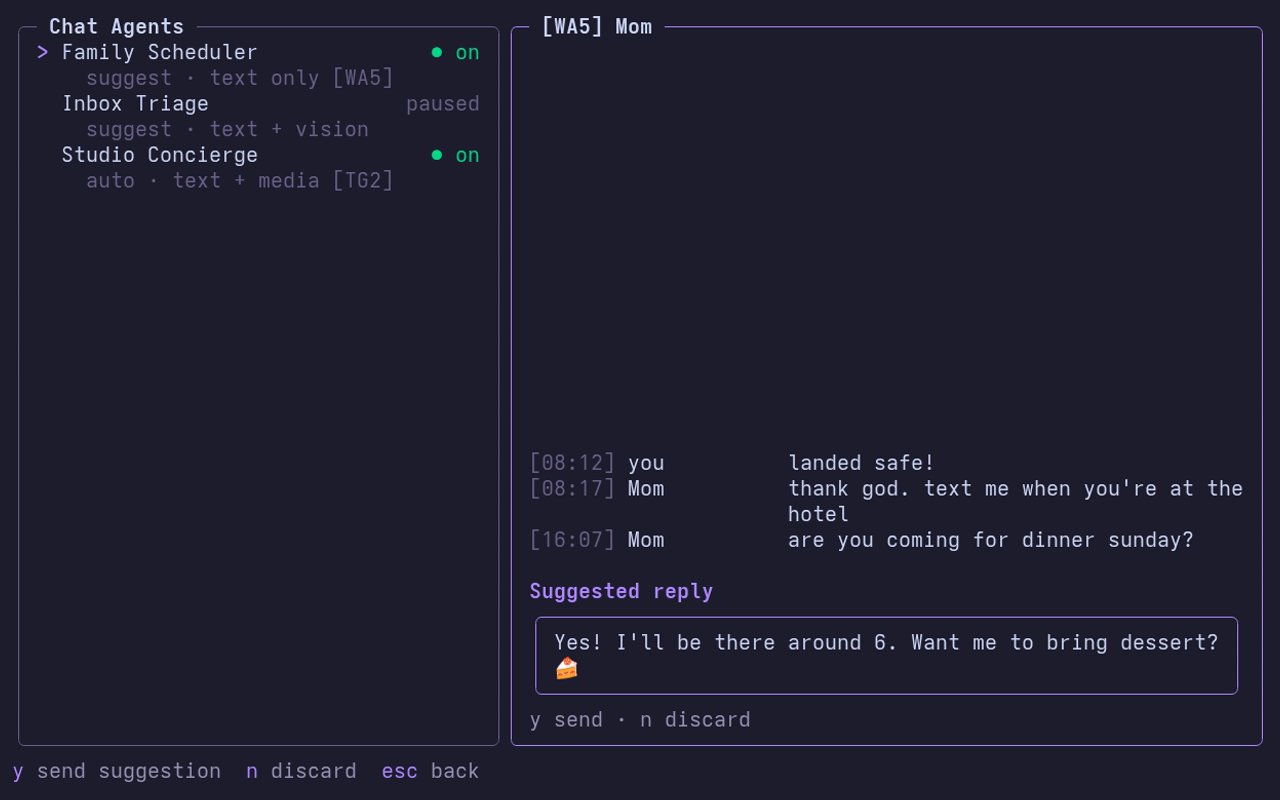
Chat Agents are optional AI bots that answer incoming private messages on the accounts you connect to them. They work with any OpenAI-compatible API.
Your messages go to the provider
Every conversation an agent answers is sent to the AI provider you configure.
What agents do and don't do
- They answer DMs only. They never act in groups or channels, and never start a conversation.
- They never answer email.
- Each account answers to at most one agent.
- An agent either suggests replies for you to approve, or replies automatically.
Agents mode
Press Alt+A from the chat list, or from a chat with an empty input. The screen turns violet and accounts are tagged like [TG1] (backend and position in the account list).
| Key | Action |
|---|---|
| n | New agent |
| e | Edit agent |
| c | Connect accounts |
| Space | Pause or resume |
| d | Delete agent |
| p | AI providers |
| Enter | Show conversations / open one |
| y / n | Send / discard a suggested reply |
Providers
The first new agent asks for a provider. Presets:
| Preset | Base URL | API key variable | Default model |
|---|---|---|---|
| OpenRouter | https://openrouter.ai/api/v1 | OPENROUTER_API_KEY | openai/gpt-4o-mini |
| OpenAI | https://api.openai.com/v1 | OPENAI_API_KEY | gpt-4o-mini |
| Ollama (this machine) | http://localhost:11434/v1 | none | llama3.2 |
Or choose Other OpenAI-compatible API and give its base URL, which must use HTTPS unless it runs on this machine.
Wiregram never stores API keys. You name the environment variable that holds the key, and Wiregram reads it at run time, so set it in the shell you start Wiregram from:
export OPENROUTER_API_KEY=...   # from your secret manager, not shell history
wiregram
Creating an agent
n starts a short scripted wizard. Every step is a fixed choice or a typed value; Esc goes back a question.
- Name, e.g.
Support Bot. - Provider and model (the provider's default, or another).
- Instructions: how it should reply. Leave empty for a brief, helpful default.
- Knowledge files (optional): comma-separated paths it reads, e.g.
~/notes/faq.md. Relative paths are inside the Wiregram config folder. - What it understands:
- text only (media messages never reach it)
- text + media descriptions (
[photo],[file]…) - text + vision (incoming photos go to the model)
- How it replies: suggest replies for you to approve, or reply automatically.
- History: keep conversation history for 7, 30 or 90 days.
- Accounts: Space toggles each account it answers on.
- Confirm the summary and save.
Agents, providers and conversation history are kept in wiregram.db.